

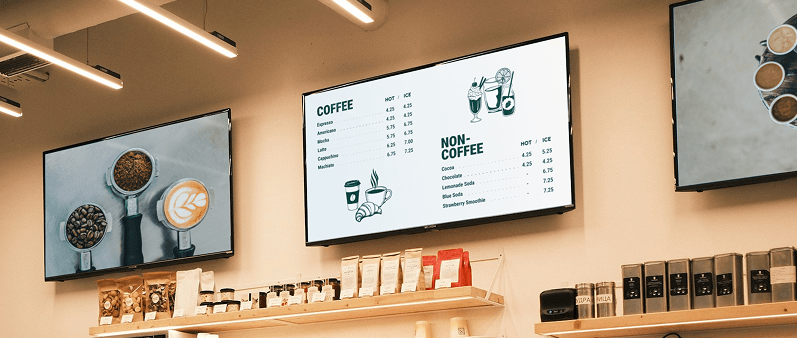
Choosing the right TV for displaying your restaurant menu is crucial for creating an engaging dining experience. The right display not only enhances visibility but also complements your restaurant's ambiance, making your menu items more appealing and easier to read. Whether you're setting up indoor digital menu boards or outdoor displays for patio seating, selecting the best TV involves balancing factors like size, brightness, and mounting. In this article, we’ll outline the key features and characteristics to consider when selecting a TV, provide a curated list of top devices, and suggest the best situations for their use. This guide builds on our advice in "How to Display a Menu on a TV", where we emphasize starting with the right hardware.
What to Look for in a TV for Digital Restaurant Menus?
To look for a TV for digital restaurant menus, start by considering the screen size and viewing distance to ensure the menu is easily readable from where customers will be. Larger screens work well in spacious dining areas or drive-thru lanes, while smaller screens fit better at counters or kiosks. Also you have to consider the lightning conditions, if its an outdoor location you might need a brighter TV to ensure visibility.
TV Size
The size of the TV should be appropriate for the space and viewing distance to ensure your menu is legible without overwhelming the area. Consider the distance from which customers will view the menu—a general rule is that viewers should be no farther than 1.5 times the screen's diagonal measurement for optimal clarity. For example:
- Larger Screens (55-75 inches or more): These are necessary for bigger dining areas, such as open-concept restaurants or high-traffic spots like buffets, where customers might be 10-20 feet away. They help draw attention and showcase detailed images of dishes.
- Smaller Screens (32-50 inches): These suffice for more intimate settings, like cozy cafes or counter-service spots, where viewers are closer (e.g., 5-10 feet). They save space and reduce visual clutter.
Display Brightness and Lightning Conditions
Lighting plays a huge role in how well your digital menu is seen, especially in restaurants with varying light sources. Brightness is measured in nits (a unit of luminance), and higher levels combat glare.
- If your space has a lot of natural light or bright overhead lighting, you will need a TV with higher brightness levels to ensure visibility. Look for displays with at least 300-500 nits for indoor use and 1,000 nits or more for outdoor use.
- Consider TVs with anti-glare screens or matte finishes, which can help reduce reflections and improve visibility in bright environments.
View Angle
Ensure that the TV can be viewed from various angles in the restaurant to accommodate different seating arrangements. A display with a wide viewing angle (typically 178 degrees or more) will prevent color distortion or fading when seen from the side.
- In open layouts with scattered tables, prioritize wide-angle technology like IPS panels, which maintain clarity from off-angles.
- Narrower angles might work in linear setups, like along a bar, but they can frustrate customers seated at the edges.
Top 3 Indoor TVs for Displaying a Menu
For indoor restaurant environments, focus on TVs with high resolution, smart features, and durability for continuous use. Here are our top picks, selected for their performance in menu display scenarios:
- TV name
Key Features: 4K resolution, up to 2,000 nits brightness, wide viewing angles, and smart connectivity for easy app integration.
Best For: Busy indoor spaces with variable lighting, like family-style restaurants. It's excellent for vibrant menu photos and real-time updates via digital signage apps.
Pros: Exceptional color accuracy and anti-reflective screen; energy-efficient for long hours.
Price Range: $1,000–$2,500.
- .
- .
Top 3 Outdoor TVs for Displaying a Menu
Outdoor displays require weatherproofing, high brightness, and UV resistance for patios or drive-thru menus. These picks are rated for outdoor use and can withstand elements like rain and sun.
- TV name
Key Features: 4K resolution, up to 2,000 nits brightness, wide viewing angles, and smart connectivity for easy app integration.
Best For: Busy indoor spaces with variable lighting, like family-style restaurants. It's excellent for vibrant menu photos and real-time updates via digital signage apps.
Pros: Exceptional color accuracy and anti-reflective screen; energy-efficient for long hours.
Price Range: $1,000–$2,500.
- .
- .
Conclusion
Selecting the best TV for displaying your menu involves considering both the physical characteristics of your restaurant space and the features of the TV itself. By evaluating size, resolution, connectivity, and durability, you can choose a display that enhances your customers' dining experience.The TVs listed above offer a range of options to suit different needs and budgets, ensuring that you can find the perfect fit for your restaurant. With the right TV in place, you can effectively showcase your menu and create an inviting atmosphere for your guests.

